
Additional JavaScript for WordPress Customizer
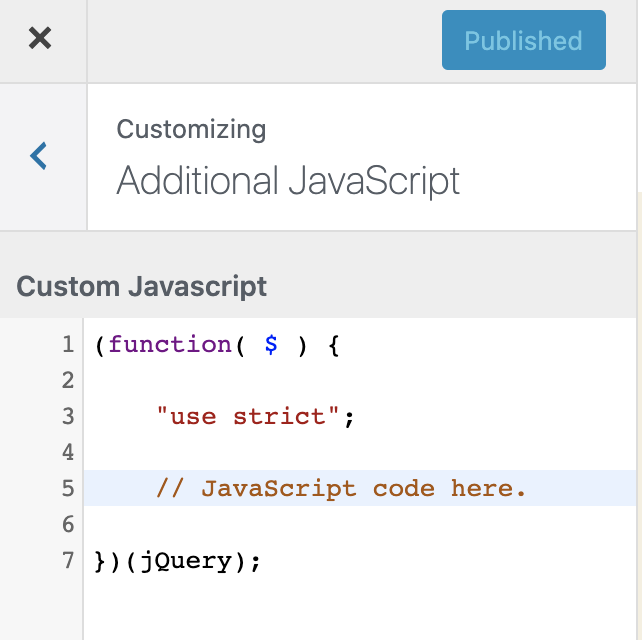
Additional JavaScript for WordPress Customizer lets you add JavaScript code, to the front-end, using the WordPress Customizer - safely and with live preview.
Features
Section titled “Features”- Add custom JavaScript through the familiar WordPress Customizer interface
- Live preview of JavaScript changes
- Syntax highlighting in the editor
- Error reporting for JavaScript syntax issues
- Revision history for your JavaScript code (uses WordPress post revisions)
- Secure implementation - only users with the ‘unfiltered_html’ capability can edit JavaScript
- Clean, minimal interface focused on code editing
- Works with any WordPress theme
Security
Section titled “Security”This plugin restricts JavaScript editing to users with the ‘unfiltered_html’ capability, which by default is only granted to administrators on single site installations and super administrators on multisite installations.
Installation
Section titled “Installation”-
Quick Install
- Download
additional-javascript.zip - Upload via Plugins > Add New > Upload Plugin
- Activate the plugin.
- Download
-
Composer Install
Terminal window composer require soderlind/additional-javascript -
Updates
- Plugin updates are handled automatically via GitHub. No need to manually download and install updates.
- Navigate to Appearance → Customize in your WordPress admin area
- Click on the “Additional JavaScript” section at the bottom of the customizer menu
- Add your JavaScript code in the editor
- See the live preview of your changes
- Click “Publish” to apply your JavaScript to the site
Requirements
Section titled “Requirements”- WordPress 6.3 or higher
- PHP 8.2 or higher
- User with
unfiltered_htmlcapability
Frequently Asked Questions
Section titled “Frequently Asked Questions”Who can add JavaScript using this plugin?
Section titled “Who can add JavaScript using this plugin?”Only users with the ‘unfiltered_html’ capability can add JavaScript using this plugin. By default, this is limited to administrators on single site installations and super administrators on multisite installations.
Will this slow down my site?
Section titled “Will this slow down my site?”No, the plugin is designed to be lightweight and only loads the necessary scripts and styles when needed.
Where is the JavaScript added on my site?
Section titled “Where is the JavaScript added on my site?”The JavaScript is added at the end of the <head> section of your site with a priority of 110.
Changelog
Section titled “Changelog”- Enhanced class loading for the GitHub plugin updater.
- Use generic WordPress Plugin GitHub Updater
- Minor code improvements
- Add plugin updater
- Updated compatibility with WordPress 6.5
- Code improvements and optimization
- Enhanced security measures
- Initial release
Copyright and License
Section titled “Copyright and License”Additional JavaScript is copyright 2018-2025 Per Soderlind
Additional JavaScript is free software: you can redistribute it and/or modify it under the terms of the GNU General Public License as published by the Free Software Foundation, either version 2 of the License, or (at your option) any later version.
Additional JavaScript is distributed in the hope that it will be useful, but WITHOUT ANY WARRANTY; without even the implied warranty of MERCHANTABILITY or FITNESS FOR A PARTICULAR PURPOSE. See the GNU General Public License for more details.
You should have received a copy of the GNU Lesser General Public License along with the Extension. If not, see http://www.gnu.org/licenses/.
📦 Source: soderlind/additional-javascript · Edit on GitHub