
Super Admin All Sites Menu



Replace the default My Sites menu in the WordPress Admin Bar with a fast, searchable All Sites menu — built for super admins managing large multisite networks.
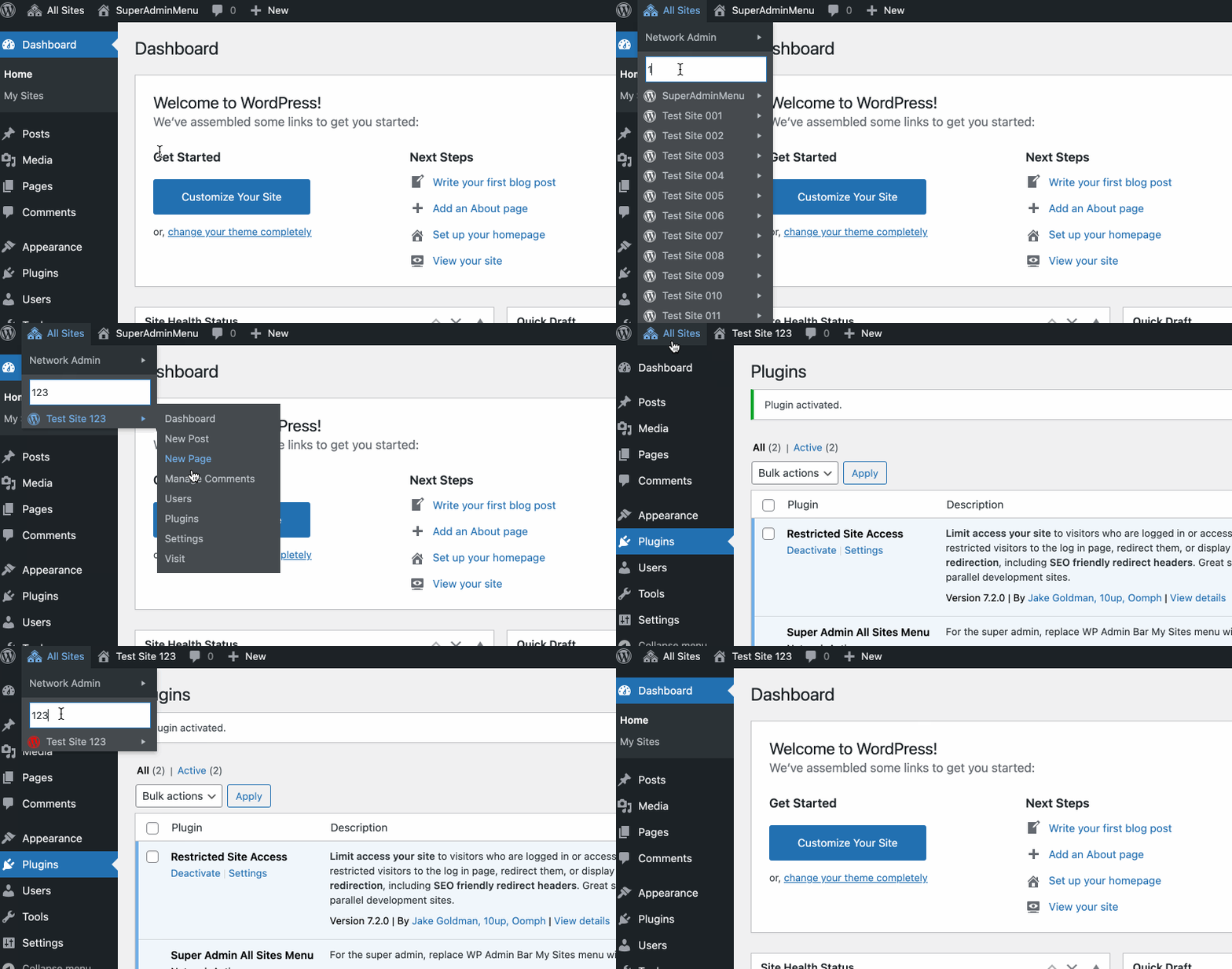
The built-in My Sites menu has problems on large networks:
- It only lists sites where you are a local admin.
- It can’t scroll past the viewport (open bug since 2010).
- It calls
switch_to_blog()for every site, which is slow.
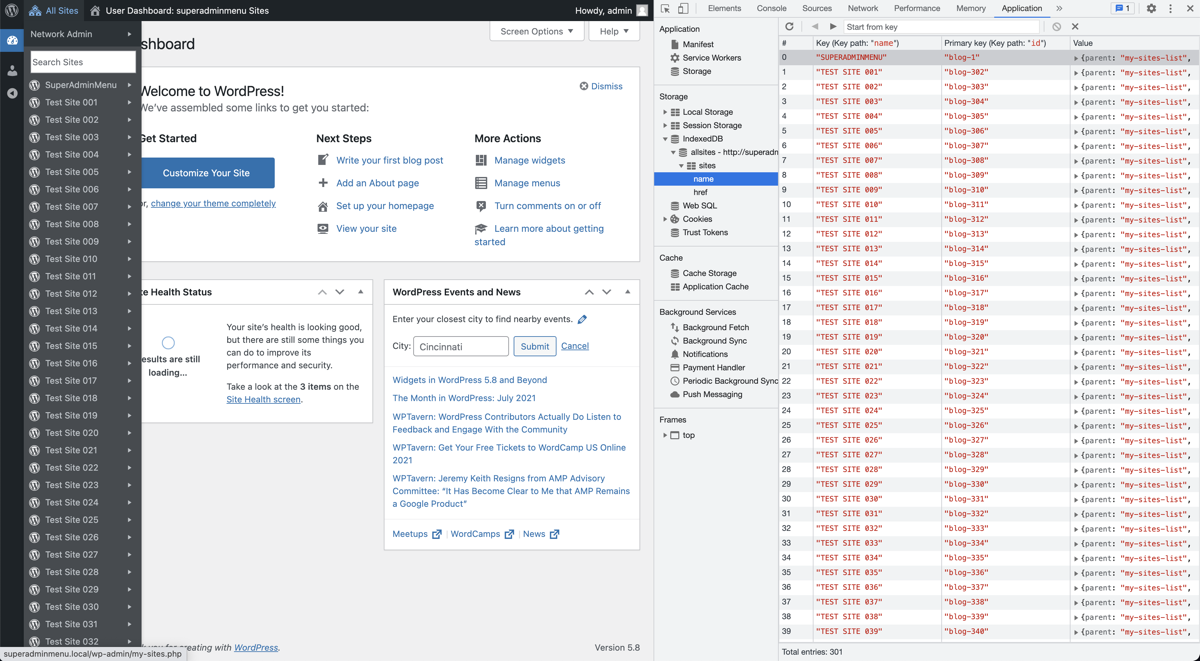
This plugin fixes all three. Site data is fetched once via the REST API, cached in IndexedDB, and rendered client-side — so the menu loads instantly on subsequent visits.
Features
Section titled “Features”- Switch free, no
switch_to_blog()— reads site properties directly, avoiding the performance hit. - IndexedDB caching — menu data is stored locally and updated automatically when sites, blog names, or monitored plugins change.
- Incremental REST loading — fetches sites in batches (default 100) so the admin bar isn’t blocked.
- Lists every subsite, not just sites you administer locally.
- Alphabetical sorting with a built-in search filter (appears when you have 20+ sites).
- Restricted Site Access indicator — sites running Restricted Site Access get a red icon.
- Extra quick-links per site: New Page, Users, Plugins, Settings; plus “Add New Site” under Network Admin.
Requirements
Section titled “Requirements”| Requirement | Minimum |
|---|---|
| WordPress | 5.6 (Multisite) |
| PHP | 8.0 |
| Browser | Any modern browser (no IE 11) |
Installation
Section titled “Installation”WordPress.org
Install from wordpress.org/plugins/super-admin-all-sites-menu, then Network Activate.
Manual
- Download the latest release.
- Upload to
wp-content/plugins/and network activate.
Composer
composer require soderlind/super-admin-all-sites-menuFilters
Section titled “Filters”All filters are optional. Add them to a plugin or your theme’s functions.php.
all_sites_menu_order_by
Section titled “all_sites_menu_order_by”Sort order. Accepts name (default), id, or url.
add_filter( 'all_sites_menu_order_by', function( string $order_by ): string { return 'url';} );all_sites_menu_load_increments
Section titled “all_sites_menu_load_increments”Sites fetched per REST batch. Default 100.
add_filter( 'all_sites_menu_load_increments', function( int $increments ): int { return 300;} );all_sites_menu_plugin_trigger
Section titled “all_sites_menu_plugin_trigger”Plugins whose (de)activation triggers an IndexedDB refresh. Default: [ 'restricted-site-access/restricted_site_access.php' ].
add_filter( 'all_sites_menu_plugin_trigger', function( array $plugins ): array { return [ 'restricted-site-access/restricted_site_access.php', 'myplugin/myplugin.php', ];} );all_sites_menu_search_threshold
Section titled “all_sites_menu_search_threshold”Minimum number of sites before the search field appears. Default 20.
add_filter( 'all_sites_menu_search_threshold', function( int $threshold ): int { return 40;} );all_sites_menu_force_refresh_expiration
Section titled “all_sites_menu_force_refresh_expiration”Seconds between forced cache refreshes. Default 3600 (1 hour). Set to 0 to disable.
add_filter( 'all_sites_menu_force_refresh_expiration', function( int $seconds ): int { return 7200;} );all_sites_menu_submenu_items
Section titled “all_sites_menu_submenu_items”Customise the per-site submenu items. Add, remove, or reorder entries. Each item is an associative array with id, title, and href keys.
Parameters:
| Param | Type | Description |
|---|---|---|
$items | array | Default submenu items (Dashboard, New Post, New Page, …, Visit). |
$blog_id | int | The numeric blog ID. |
$admin_url | string | The site admin URL, e.g. https://example.com/wp-admin. |
$site_url | string | The site frontend URL, e.g. https://example.com. |
Add an “Edit Site” link (network admin):
add_filter( 'all_sites_menu_submenu_items', function( array $items, int $blog_id, string $admin_url ): array { $items[] = [ 'id' => 'edit-site', 'title' => 'Edit Site', 'href' => network_admin_url( 'site-info.php?id=' . $blog_id ), ]; return $items;}, 10, 3 );Remove “Manage Comments”:
add_filter( 'all_sites_menu_submenu_items', function( array $items ): array { return array_filter( $items, fn( $item ) => $item['id'] !== 'c' );} );Try it in WordPress Playground (loads 50 subsites — may take a moment).
- Deactivate the plugin to see the default My Sites menu fail to scroll.
- Activate Restricted Site Access to see the red indicator icon.
How it works
Section titled “How it works”PHP (server) JS (browser)───────────── ────────────get_revision() ──inline_script──▶ pluginAllSitesMenu.revision │ Compare with snapshot metadata revision │ ┌──────────┴──────────┐ │ mismatch │ match ▼ ▼ Clear DB Use cached snapshot │ │ ▼ │ REST /sites?offset=0 │ REST /sites?offset=100 │ …(batched) │ │ │ ▼ ▼ Store in IndexedDB ──▶ Render menuThe PHP revision acts as an opaque cache version. It is bumped whenever a site is added/deleted, a blog name changes, or a monitored plugin is (de)activated. On the client side, a mismatch triggers a full re-fetch; a match means the cached snapshot is used as-is.
IndexedDB storage
Development
Section titled “Development”# Install dependenciesnpm install
# Buildnpm run build
# Run testsnpm test
# Format sourcenpm run formatChangelog
Section titled “Changelog”See CHANGELOG.md.
Credits
Section titled “Credits”- Dexie.js (Apache 2.0) — IndexedDB wrapper
- Submenu offset adjustment — zephyr7501
- Search field CSS — trepmal/my-sites-search
License
Section titled “License”Copyright 2021 Per Soderlind. Licensed under the GNU General Public License v2 or later.
You should have received a copy of the GNU Lesser General Public License along with the Extension. If not, see http://www.gnu.org/licenses/.
📦 Source: soderlind/super-admin-all-sites-menu · Edit on GitHub